Master Your Biology. Unlock Your Potential.
Liberture unifies the fragmented world of human optimization into one intelligent platform. Track, gamify, and optimize every aspect of your biological performance.
No email, no password. Your Nostr key is your account.
Open source on GitHubYour habits, tracked and talked to
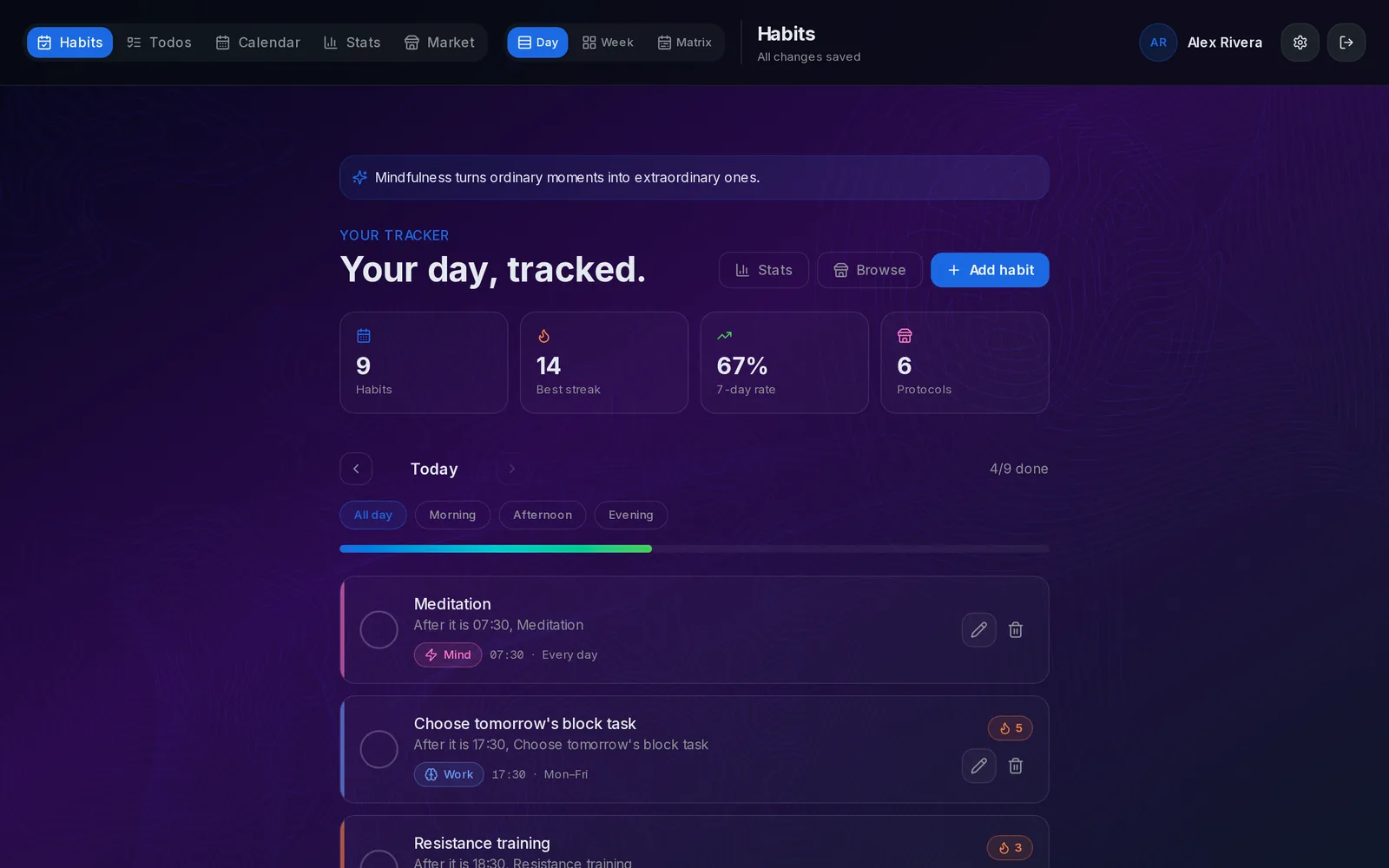
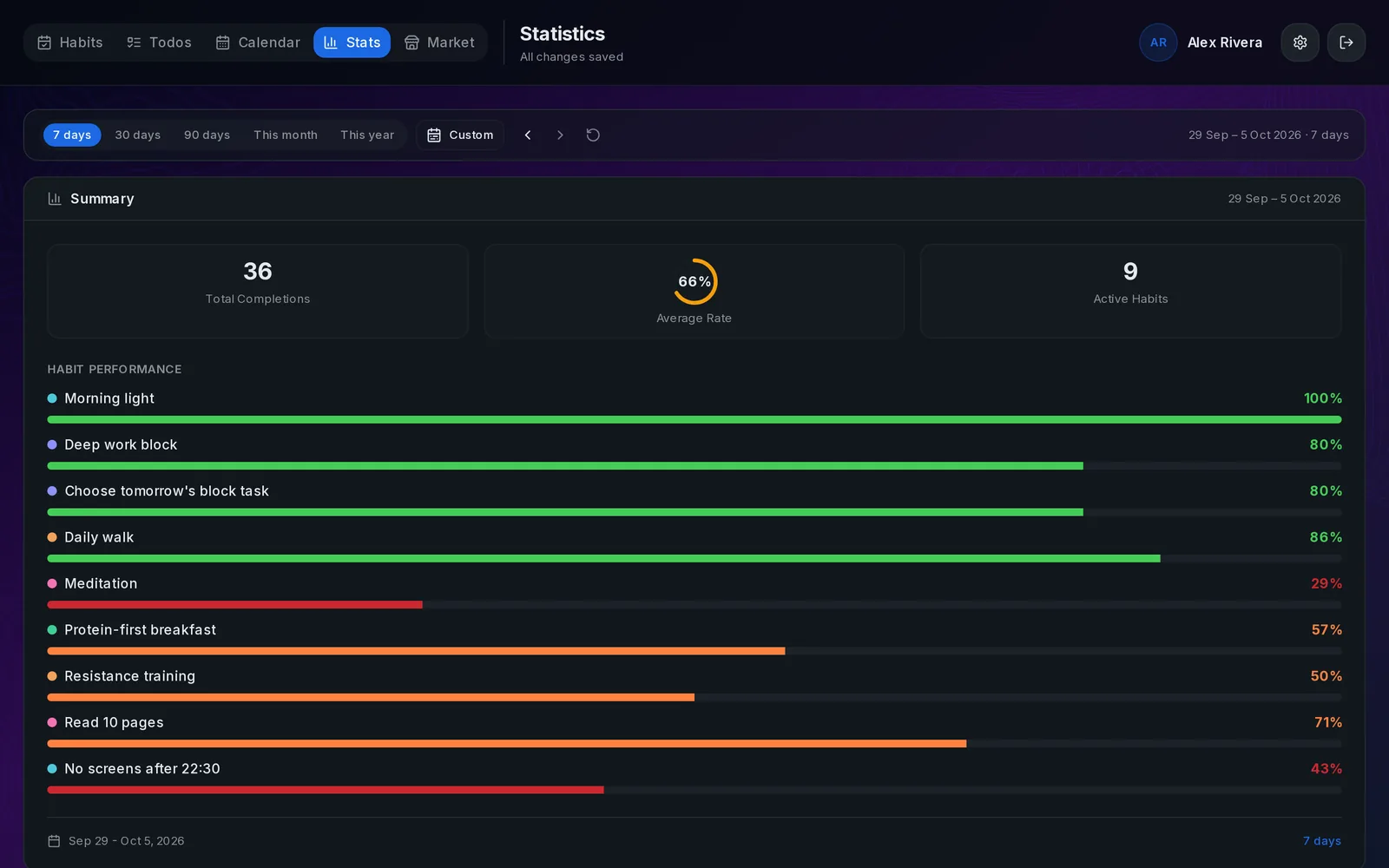
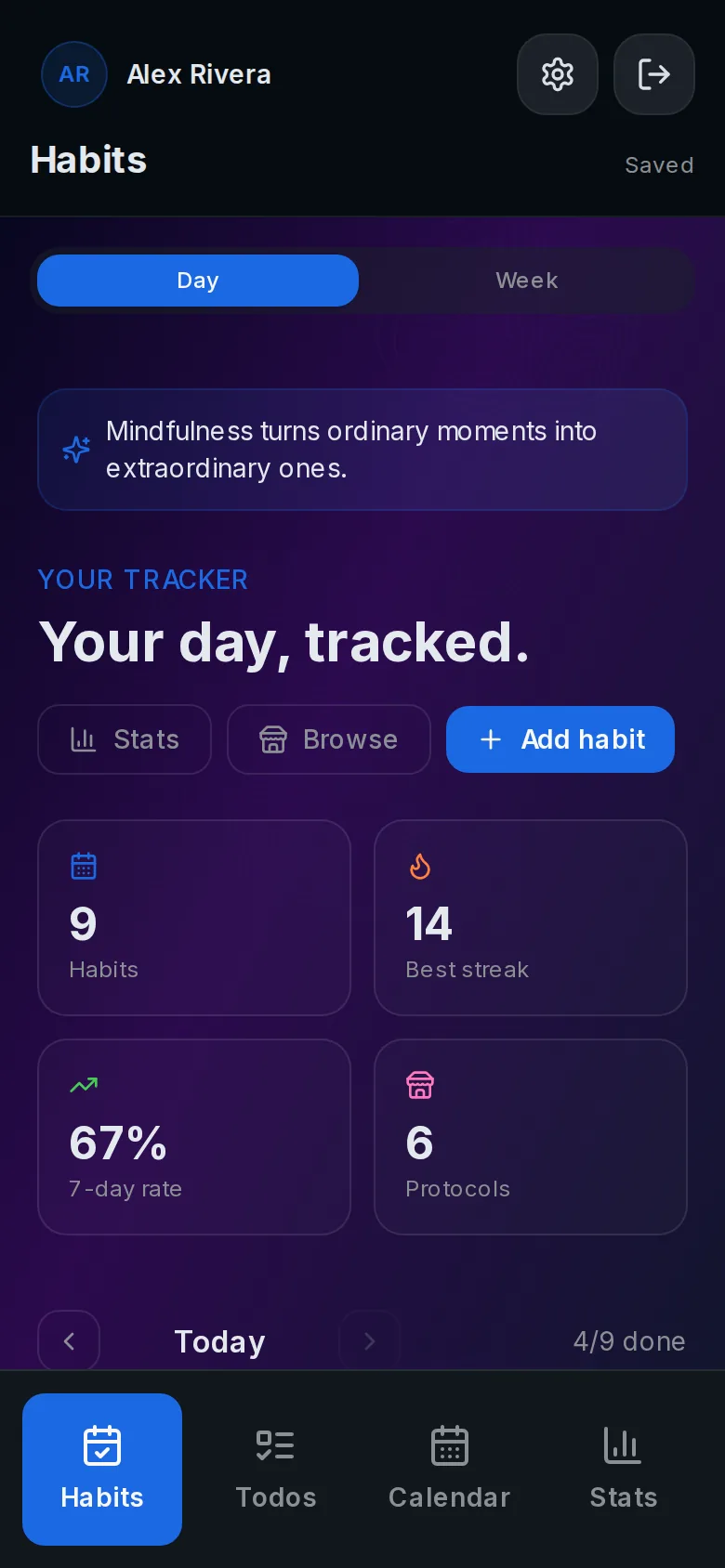
A real tracker underneath: daily habits, streaks, statistics, todos and a calendar. Your assistant reads and writes the same data.
Everything You Need to Optimize
Stop juggling multiple apps. Liberture brings all aspects of human optimization under one roof.
Six Optimization Pillars
Work, Sleep, Nutrition, Mind, Exercise, and Finance - all unified in one system.
Streaks and Level-Ups
Milestones at 3, 7, 21, 30 and 66 days, and habits that grow from tiny to full as they stick.
Pillar Balance
See where your effort actually goes across the six pillars, and which one you've been neglecting.
Evidence-Based Protocols
Proven routines with the research attached, which your assistant can suggest and add for you.
Voice Check-Ins
Talk to your habits from ChatGPT or Claude: log a habit, hear your streaks, plan your day.
Unified Analytics
Completion rates, a year-long matrix and trends across habits, to spot what works and what slips.
The Six Pillars of Optimization
Each pillar represents a critical domain of human performance. Balance all six to achieve true optimization.
Work
Optimize productivity, flow states, work environment, and professional performance for meaningful achievement.
Sleep
Master sleep architecture, circadian rhythm, and recovery protocols to maximize restoration and longevity.
Nutrition
Optimize digestion, microbiome, macros, and supplementation for peak energy and metabolic health.
Mind
Enhance brain function, neurotransmitters, nootropics, and mental resilience for cognitive excellence.
Exercise
Build strength, cardiovascular capacity, mobility, and athletic performance through evidence-based training.
Finance
Master wealth creation, financial independence, and resource optimization for life freedom.
Three steps, then just talk
Liberture has no chat window of its own. Your ChatGPT or Claude does the talking. This guide connects one of them to your tracker so that it can read your habits and log them for you, in text or voice.
- 1
Sign in here
Create your account and pick a habit or two. That's what your assistant will talk about.
- 2
Add one link to your assistant
In Claude or ChatGPT, add the Liberture connector, sign in and press Approve. It stays connected.
- 3
Say hi
Open a chat, or start voice mode, and ask "what's left today?".
What your assistant can do
- Tell you what's left today and what's done, with streaks
- Mark habits done (or undo it) by name
- Answer "how was my week" from your stats
- Add todos and close them
- Suggest protocols from the catalog, with a link to read first
- Create new habits, or add a protocol's habits, when you ask
Things to say
Try saying
- “What's left today?”
- “Mark meditation done.”
- “I skipped the walk yesterday, undo it.”
- “How's my sleep streak?”
- “How did this week go compared to last?”
- “Remind me to call the bank on Friday.”
- “Suggest a protocol for focus.”
- “Add running as a daily habit.”
- “Add the morning light protocol.”
Connect your assistant
One link, one sign-in. Pick your assistant for the short version, or open the full guide.
- 1
Copy the URL
It's the same for everyone; your sign-in is what links it to your habits.
- 2
Add it to Claude
On claude.ai or the app: Settings → Connectors → Add custom connector. Name it "Liberture", paste the URL, press Add.
- 3
Connect and approve
Press Connect. Liberture opens: sign in if asked, then press Approve. Done.
https://www.liberture.com/mcp
Using it by voice. Start voice mode in the Claude app with the connector enabled. If a tool call isn't offered in voice on your device, ask the same thing as a text message.
Full guide: Connect ClaudeYou decide what it can do
- Read
- Log completions
- Todos and projects
- Calendar
- Add habits
- Edit habits
- Delete habits· Off by default
- Export
Every permission is on until you switch it off, except deleting habits, which stays off until you switch it on. Changes apply to the very next request.
How permissions workPrivacy
Connecting gives your assistant access to your habit data only, within the permissions you choose. Data goes from this server to the assistant's provider (OpenAI or Anthropic) when you use it, under their terms. Disconnect it in Settings → Voice assistants and access stops immediately.
Read the docsA check-in, start to finish
- You: Morning. What's on today?
- Assistant: Four habits today. Morning light at 7:30, a deep work block at 9, protein first breakfast, and a 10-minute walk. You're on a 12-day streak with morning light.
- You: Done with the light already. Mark it.
- Assistant: Logged. That's 13 days in a row.
- You: My sleep's been bad. Anything I should try?
- Assistant: Caffeine Cutoff fits: last coffee 8–10 hours before bed. Here's the protocol. Want me to add it?Caffeine Cutoff · protocol
Protocols live on Liberture
When your assistant suggests something, it links to the protocol's page here, with the research and the steps. Add it yourself from there, or let the assistant add it for you.
Browse protocolsEverything on by default. Switch off what you don't want.
Your assistant can read your habits, log completions, manage todos and calendar, and add habits from the catalog. Each of those is a switch in Settings, and any assistant can be disconnected there with one tap.
- Read habits, streaks and stats
- Log habit completions
- Create and update todos
- Add calendar blocks
- Create habits and add them from the catalog
- Export a full backup
Connected in a minute, for good
Start with one habit.
Sign in, pick a habit, connect your assistant. Then talk to it tomorrow morning.