Connect Claude
One link, one sign-in. Claude uses it in chats, projects and voice, and it stays connected until you disconnect it.
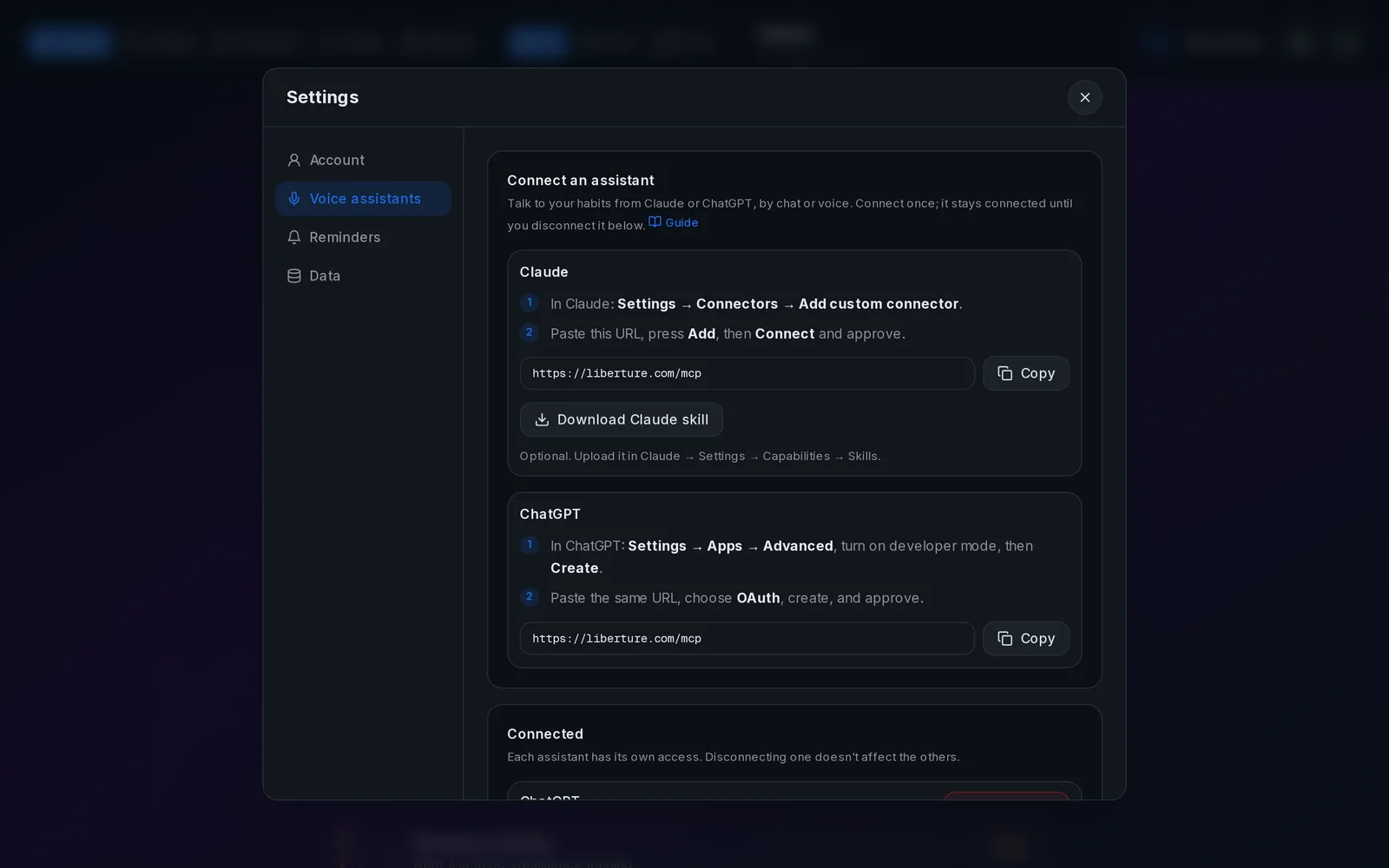
Setup in three steps
- 1
Copy the URL
It's the same for everyone; your sign-in is what links it to your habits.
Connector URLhttps://www.liberture.com/mcp
- 2
Add it to Claude
On claude.ai or the app: Settings → Connectors → Add custom connector. Name it "Liberture", paste the URL, press Add.
- 3
Connect and approve
Press Connect. Liberture opens: sign in if asked, then press Approve. Done.
- 4
Optional: the skill
The skill teaches Claude a fast voice check-in. Download it from Liberture → Settings → Voice assistants (it has its own key) and upload the zip in Claude → Settings → Capabilities → Skills.
Open Settings in LibertureOptional project instructionsYou're my habit coach. My Liberture tracker is connected as the "Liberture" connector. I often use voice, so be fast and brief. - Start with one call: get_today. Don't call anything else just to look things up. - Act in one call. log_habit, create_habit and set_todo_status take names as I say them; never list habits or todos first. - Don't ask follow-up questions when a default works: a new habit is daily with no reminder. Do it, then read back the tool's `say` sentence and offer to adjust. - Reply in my language, in one or two sentences. Never invent habits, streaks or numbers. - To recommend something, use search_catalog and share its infoUrl. To track something I name, use create_habit. - If a tool returns scope_disabled, tell me its message instead of retrying.
- 5
Talk
Ask "what's left today?". Allow the tools when Claude asks.